
3D tours for real estate listings
Hand us a listing’s floor plan and we build the house in 3D. Walk a buyer through it room by room, furnish it, and take photographs of it at any hour.
For agents on their own and small offices. Sign in with a link sent to your email.
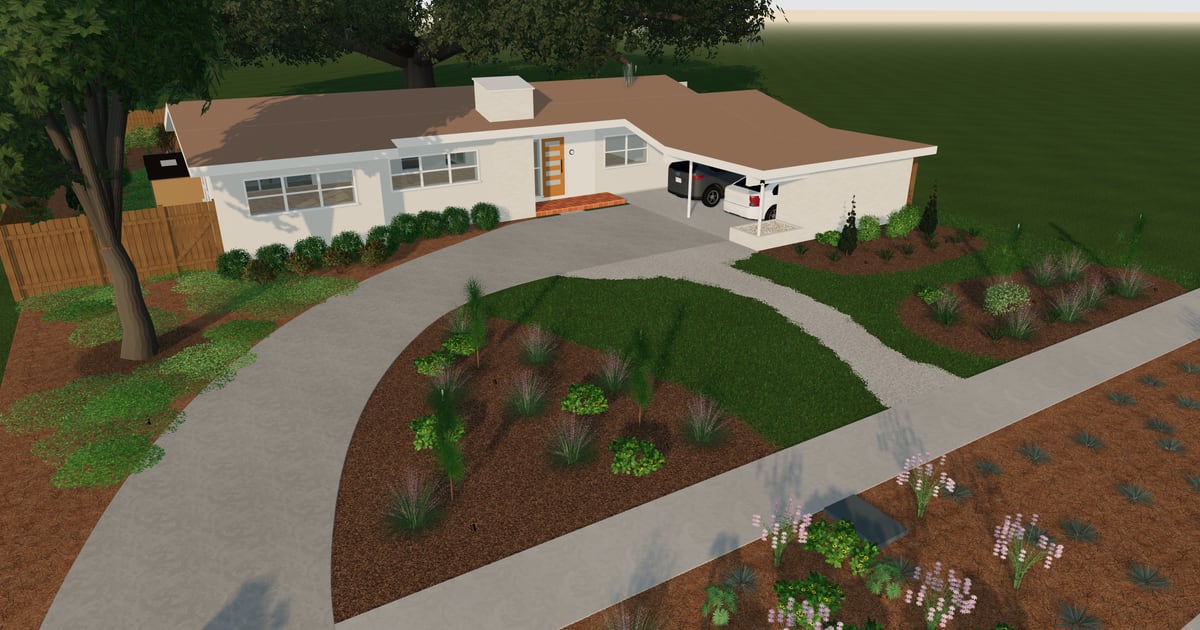
From the floor plan to the tour.
Hand us the floor plan
A picture or a PDF of the plan, an appraiser’s sketch or a survey will do. We read the walls, doors and windows and build the house from them.
Make it the listing
Check the reading and correct what is off. Place furniture at true size and lay out the yard, and the house is ready to show.
Give the tour
Walk a buyer through it on your screen or on a call. Or make it public and send the link, and they look round on their own once they sign in.
What a listing gets.
A walk through every room
Freelook flies the view anywhere in or around the house. A buyer sees each room from inside it, and the whole lot from above.
Photographs before the house is ready
Turn any view into a photograph at the hour you choose. Send a few words with it, such as a furnished living room or a new paint colour, and the photo shows them.
Furniture at true size
Describe a sofa, a bed or a table and give it a size, and it is made into a model you place in the room. A buyer sees what fits.
The lot and the yard
The lot’s outline, the drive, the beds, a fence and a deck are part of the model, so the tour can start at the street.
A second pair of hands
Share a listing with a partner or an assistant by their email, and you both work on it live.
One account for your listings
Each listing is a property of its own, with its own link. One account keeps twenty of them.
Reading a floor plan, making a piece of furniture and taking a photo draw on AI credits. You start with free ones, and buy more when they run out.
Questions
- Do I need a 3D scan or a special camera?
- No. A floor plan, a sketch or a survey is enough to start.
- How close is the model to the house?
- As close as the drawing it came from, and every wall, door and window in it is yours to correct. That is plenty for a buyer to get the feel of the house. Square footage for the listing comes from your appraiser or the county, as it always has.
- Can a buyer open the tour without me?
- Yes. Make the listing public and send its link. A buyer signs in with their email and looks round on their own.
- Can I use the photos in my listing?
- Yes. They are renderings of the model, so label them the way your MLS asks.
- How many listings can I keep?
- Twenty at a time on one account. Remove a sold one to make room for the next.
More to look at
Start with the listing on your desk.
Hand us its floor plan, check the reading, and you have a house to walk a buyer through.
Model your first listing