

Build Update #1
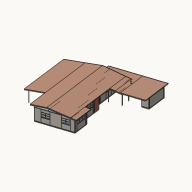 SpencerHausCraftedited
The sawdust is still settling, so mind your step. Here's what's new today.
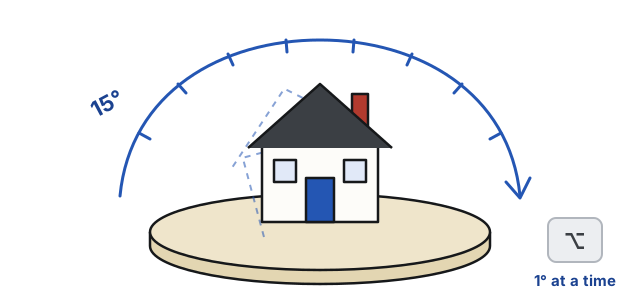
Turn anything, buildings too
Grab the ring over what you picked and turn it in 15° steps, or hold ⌥ to turn it a degree at a time. You can still type the angle in its panel or press R for a quarter turn. Easier than turning a couch through a doorway.
Framing, pulled from any face
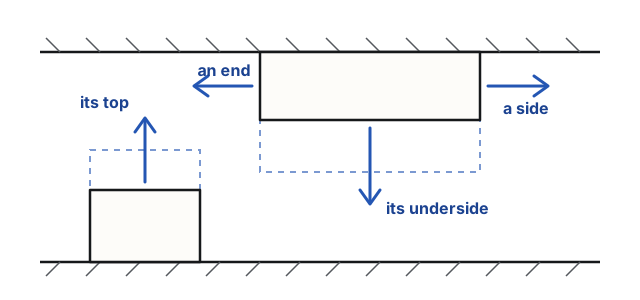
In Freelook, pull a soffit or a half wall by its top, its underside, either side or either end. Start one right where you click on a wall or the ceiling, and raise it off the floor by its underside. A soffit now runs over an inside wall that ends under it, and the wall is framed up to meet it. They finally meet in the middle.
The editor on your phone
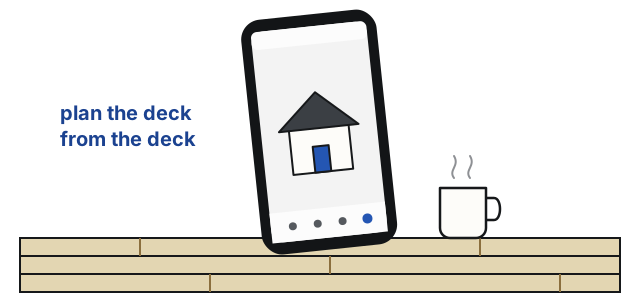
The editor has a layout made for phones: the scene fills the screen, with a tab bar along the bottom. Plan the deck from the deck.
Also new
In the editor
- The top of Ask's panel shows who has the property open, each in their pointer's color.
- A room keeps the name it's given until you rename it. "The Den" stays The Den.
- Bare wood looks like boards, in soft grays, not a photo of oak.
Your lot
- Only the streets and sidewalks you draw are shown. No more made-up street along the front. Your curb, your call.
Photos
- Photos of your house come out sharper, and Ask says "Generating a high-quality photo…" while one is being made.
- If your credits won't cover a photo, you're told before it starts. You're never charged for one you can't finish.
- Star the photos and plans you like best, and they show first on your property's card. Fridge-door rules apply.
- Lists of properties no longer wait for pictures, and pictures load faster.
- An item that's still being made shows as a box with its progress.
HausCraft in your AI app
- Sign in to HausCraft from Claude or another AI app and work on your properties from there. Make changes, see the house in 3D after each one, get pictures of any side, and point to things in the editor.
Community
- Posts and replies take Markdown. Bold, lists, links and headings all work, the way this post uses them.
- Put a property's link on a line of its own, and it shows as the house itself, ready to spin. A YouTube or Twitch link on its own line shows the video.
- Forum posts read like a forum, with who wrote them beside each post.
- The home page shows what members are building and talking about.
Your account
- Signing in and posting now quietly check that you're a person, with no puzzles to solve. Not a single crosswalk to pick out.
- To approve a new device, type the code shown on that device. A link can't approve it for you.
- The page for buying credits is clearer about what each pack gives.
Fixes
- A door or window in a wall where two buildings are built as one now opens through to the next building, as it should.
- Houses with clay tile roofs, and buildings that join, open faster.
Now go make something, and show us what you built in Builds and projects, with your house on a line of its own so we can all give it a spin. Tell us what you think in Discussion, too.
'56 mid century modern.